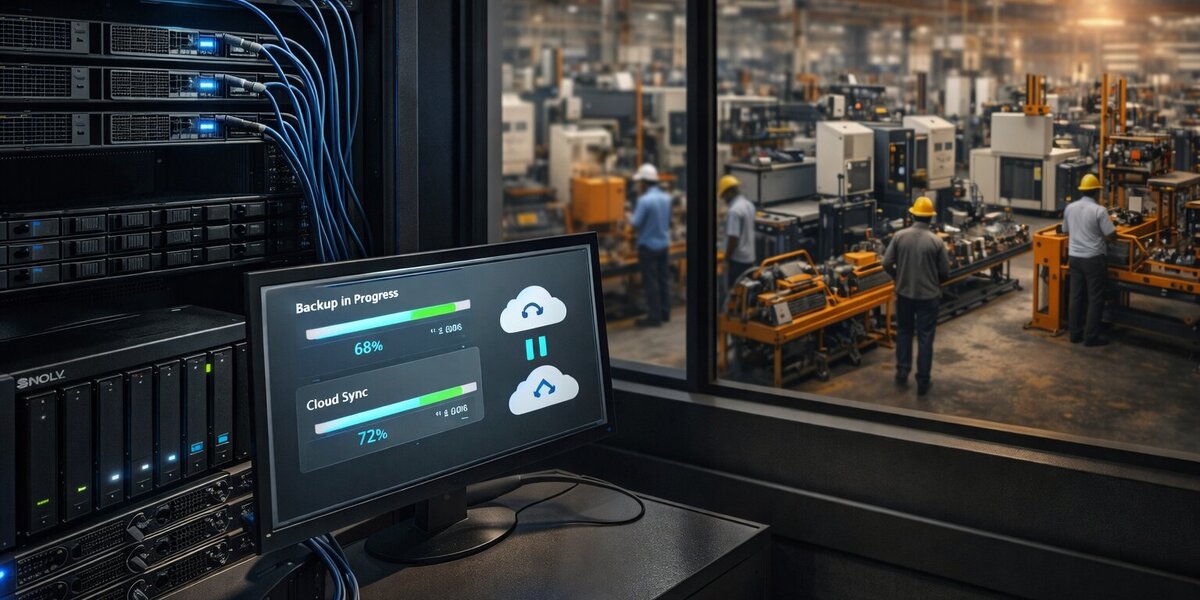
The 11 PM Call from the MD
My phone rang at 11:17 PM on a Tuesday. Our MD.
That’s never good news.
“Are you free to travel to Raipur tomorrow? Emergency. My friend Raju—runs an auto components manufacturing unit—just lost critical production data. His factory is at a standstill.”
I sat up. “How bad?”
“ERP database corrupted. Five years of production data, supplier records, BOMs, quality certifications—gone. His production manager is in panic mode. They have customer orders due Friday. Right now, they can’t even access the production schedule.”
“And backups?”
Long pause. “That’s why I’m calling you.”
The Wake-Up Call
Raju’s company, Shakthi Auto Components, had been manufacturing automotive parts in Raipur for 12 years. This wasn’t a garage operation. Real business. Solid reputation. Supplies brake components and suspension parts to Maruti, Tata Motors, Mahindra.
The numbers:
- Annual revenue: ₹25 crore
- Employees: 120 (85 on factory floor)
- Products: Precision-engineered brake assemblies, suspension components
- Customers: Tier-1 OEMs with strict quality and delivery requirements
- Certifications: ISO 9001, TS 16949 (automotive quality management)
But no backup strategy.
“We have an ERP system,” Raju would tell me the next day. “It’s installed on a server in our office. The IT vendor said it’s ‘reliable.’ I thought that meant… safe?”
Monday night, the server crashed.
What Happened: The 14-Hour Countdown to Disaster
Monday, 7:30 PM: Thunderstorm hits Raipur. Heavy monsoon rain, lightning crackling across the sky.
Monday, 7:43 PM: Power surge. Office lights flicker violently.
Monday, 7:44 PM: UPS beeps once, then dies. Battery expired 2 years ago. Nobody had noticed.
Monday, 7:44 PM: Server loses power mid-transaction. SQL Server database writing to disk when power cuts.
Tuesday, 8:00 AM: Pappu (the IT guy) arrives at office, boots the server.
SQL Server won’t start.
Tuesday, 8:30 AM: Error message stares back at him:
| |
Tuesday, 9:00 AM: Pappu calls the ERP vendor. “Do you have backups?”
“No, sir. You were supposed to maintain backups.”
Tuesday, 9:15 AM: Checks cloud backup subscription. Status: Expired 8 months ago (cost-cutting measure).
Tuesday, 9:30 AM: Pappu realizes: They have no backups. Five years of data. Gone.
Tuesday, 10:00 AM: Production manager walks in: “I need today’s production schedule. The system isn’t loading.”
“System is down,” Pappu says quietly.
“For how long?”
“I… don’t know.”
Tuesday, 11:00 AM: Quality control head: “Maruti is asking for the inspection report for batch #4521. Where is it?”
“In the system.”
“The system that’s down?”
Silence.
Tuesday, 12:00 PM: Purchase manager: “Supplier is calling about PO #2847. I can’t even find his phone number.”
Tuesday, 2:00 PM: Raju calls our MD in desperation. “I need help. We’re dead in the water.”
Tuesday, 11:17 PM: The MD calls me.
Morning Flight to Raipur
A couple of us from Team Mavericks landed in Raipur at 10:30 AM Wednesday.
Raju picked us up personally. Dark circles under his eyes. He clearly hadn’t slept. “Thank you for coming. Your MD spoke very highly of you.”
The drive to the factory:
45 minutes through Raipur’s industrial area. Concrete plants, steel warehouses, small manufacturing units with hand-painted signboards. Auto repair shops. Welding sparks visible through open garage doors.
Shakthi Auto Components: A 2-acre plot with a factory shed, office building, raw material storage yard.
Real India. Real manufacturing. Real stakes.
Inside the Factory: “Next Quarter, Next Quarter”
What we found:
The office building was quiet. Too quiet for a Wednesday morning.
Raju led us to the “server room”—a small 10x10 room with one wall-mounted AC struggling against Raipur’s heat.
The infrastructure:
- One Dell PowerEdge T340 server (₹1.2 lakh, purchased 2020)
- APC UPS (battery dead, would’ve prevented the entire disaster)
- “RAID array”: Single 2TB hard drive (was supposed to be RAID-1, never configured)
- Network: 50 Mbps fiber connection (actually decent for Raipur)
- IT team: One person—Pappu
Pappu looked exhausted. “I told them we needed backups,” he said quietly. “Every time: ’next quarter, next quarter.’”
The ERP system:
- Custom ERP implementation (built by local vendor in 2018)
- Database: Microsoft SQL Server 2017
- Data size: 45 GB (12 years of accumulated data)
- Modules: Accounting, production planning, inventory, quality control
- Last successful backup: Excel export from 6 months ago (manual, incomplete)
- Cloud backup subscription: Expired (₹15,000/year “seemed expensive”)
One hard drive. No redundancy. No backups. Twelve years of business data.
The damage:
Through the office window, I could see the factory floor. CNC machines sat idle. Workers stood in small groups, talking, waiting.
Production manager’s whiteboard still showed Monday’s schedule:
| |
But nobody knew Tuesday’s schedule. Or Wednesday’s. Or anything beyond Monday.
The factory had stopped.
The Damage Assessment
We spent four hours documenting what was lost. Every question revealed another layer of disaster.
Critical Data Gone
1. Bill of Materials (BOMs) - 247 Products
What it contained:
- Complete component lists for every product
- Material specifications (grade, dimensions, tolerances)
- Tooling requirements for each manufacturing step
- Assembly instructions
- Quality control checkpoints
Impact of loss:
“We can’t manufacture anything we haven’t made in the last week,” the production manager explained. “The experienced workers remember the common products. But new designs? Custom orders? The specs are gone.”
One engineer pulled out a laptop. “I have some BOMs I exported to PDF last year. Maybe 40-50 products.”
Out of 247.
2. Production Schedules - Current + 6 Months Forward
What it contained:
- Daily production plans
- Machine assignments
- Worker allocations
- Material requirements for each batch
- Customer delivery commitments
Impact of loss:
“We’re running blind,” production manager said. “I know we have orders due Friday. But which products? How many? What specs? All in the system.”
They were operating on tribal knowledge and WhatsApp messages.
3. Quality Control Records - 5 Years
What it contained:
- Inspection reports for every batch
- Test results (dimensional accuracy, hardness, stress tests)
- Calibration logs for measuring equipment
- Non-conformance reports
- Customer complaint tracking
Impact of loss:
The quality head looked pale. “Maruti just asked for inspection certificates for last week’s shipment. Batch #4521. We shipped 5,000 brake assemblies. I know we inspected them. I was there. But I can’t prove it. The records are gone.”
Compliance nightmare: ISO 9001 audit scheduled in 2 weeks. Five years of quality records required. Gone.
4. Supplier Database - 340 Suppliers
What it contained:
- Supplier contact information
- Negotiated pricing agreements
- Payment terms
- Pending purchase orders
- Delivery schedules
- Quality ratings
Impact of loss:
Purchase manager showed me his desk: A pile of papers, business cards, old emails printed out.
“I’m manually recreating the supplier list. Called my contacts, asked for their suppliers’ numbers. Some steel grades—I don’t even remember who we bought them from.”
Critical shortage: One raw material needed for Friday’s order. The supplier contact? In the lost database.
5. Customer Order Data - 15 Active Orders
What it contained:
- Order specifications
- Delivery schedules
- Agreed pricing
- Special requirements
- Penalty clauses
Impact of loss:
“Maruti’s order—I know it’s due Friday,” Raju said. “But which part number? How many? What packaging? I have the email confirmation somewhere, but the detailed specs were in the ERP.”
The Friday deadline: 15 orders due. 4 of them had detailed specs only in the system.
6. Inventory Records
System said (as of Monday morning):
- Brake assemblies: 5,247 finished units
- Brake discs: 12,400 components
- Raw materials: 45 tons of various grades
Reality: Unknown.
“We could do physical inventory,” Raju said. “But that’s 2-3 days of work. With workers idle. And we still wouldn’t know which batches are which quality grade.”
7. Financial Records - 12 Years
What it contained:
- Customer invoices
- Supplier payment records
- GST filings
- Profit/loss by product line
- Cost analysis
Impact of loss:
The accountant had been crying. “GST filing is due next week. I need 3 months of invoice data. The backup? I have some PDFs in email. Maybe 60% coverage.”
Audit risk: If tax authorities ask for old records—they can’t produce them.
The Business Impact
We compiled the damage report:
| Impact Area | Status | Estimated Loss |
|---|---|---|
| Production Stoppage | Day 1: Complete stopDay 2: 40% capacity (manual processes) | ₹15 lakhs/day lost revenue |
| Customer Deliveries | 15 orders at risk4 with incomplete specs | ₹2 crore in penalties |
| Quality Compliance | Can’t prove compliance for current shipmentsISO audit at risk | Potential decertification |
| Supplier Relations | Manually rebuilding contact listsOrders delayed | Supply chain disruption |
| Financial Compliance | GST filing incomplete12 years of records lost | Audit penalties unknown |
| Data Recovery | Consultant attempts failedManual recreation needed | ₹20 lakhs (staff time + consultants) |
Total estimated damage: ₹3+ crore
For a company doing ₹25 crore annual revenue, this was existential.
The ₹15,000 Decision That Cost ₹3 Crore
I sat with Raju in his office overlooking the factory floor.
Through the window: Idle CNC machines. Workers standing around, waiting for production schedules that no longer existed. Each hour of downtime: ₹60,000 in lost revenue.
“I know what you’re thinking,” Raju said. “How could we be so careless?”
He pulled out a folder. “Let me show you something.”
The Timeline of Procrastination
2015 - Started with Basic Accounting Software
“Manual backups to external drive every Friday.”
They did it religiously. For 3 months. Then someone forgot one Friday. Then another. Within 6 months, the external drive sat in a drawer, last backup from April.
2018 - Upgraded to ERP with Manufacturing Module
ERP vendor: “Our cloud backup service is ₹15,000 per year. Automatic daily backups to our servers.”
Raju: “That’s expensive. The server is brand new. Dell says it’s enterprise-grade. Let’s think about it.”
They signed up for a 1-month trial. It worked. Then:
Finance manager: “Do we really need to spend ₹15,000 every year on backups? That’s ₹1.25 lakhs over 10 years. For something that might never be useful?”
Raju: “Good point. Let’s defer this.”
2020 - COVID Cash Crunch
The trial had expired. They’d been running without backups for 2 years. No issues.
Then COVID hit. Revenue dropped 60%. Cash flow tight.
“Do we renew the backup subscription?”
“No. We need that money for worker salaries.”
2021 - Business Recovering
Pappu: “Sir, I think we should set up backups now. Business is improving.”
Raju: “Yes, absolutely. But let’s wait until the Maruti contract is finalized. After that, we’ll have budget.”
2022 - Business Booming
Maruti contract signed. Revenue up 40%.
IT manager: “Should we upgrade the server? Configure RAID? Set up automated backups?”
Raju: “Yes, but not right now. We’re in the middle of the production expansion. Can’t afford downtime to mess with the server. Let’s do it after Diwali.”
After Diwali: “Let’s do it next quarter.”
2023 - “We’ll Do It Next Quarter”
Every quarter, the same conversation.
“Backups are important. Let’s schedule it.”
Then: Customer escalation. Quality issue. Machine breakdown. New order. Expansion project.
“Let’s push backups to next quarter. System is running fine.”
2024 - The Week Before
Monday (one week before the crash):
Pappu: “Sir, the UPS battery is dead. We should replace it. And really, we need to discuss backups.”
Raju: “Order the battery. And yes, let’s schedule a meeting about backups next week.”
The UPS battery order was placed Tuesday. Delivery: Thursday.
The server crashed Monday night.
The battery arrived Thursday morning. Too late.
“I Understand Machines. But Data?”
Raju leaned back. “I’m a mechanical engineer. I understand machines. I get redundancy in physical terms:
- Backup generator? We have one. Powers the factory during outages.
- Spare cutting tools? We stock them. If one breaks, we swap it.
- Extra inventory? We maintain safety stock. Supply chain issues? No problem.
- Redundant CNC machines? Critical operations can run on two machines.
“But digital redundancy?” He shook his head. “I never thought a hard drive crash could stop an entire factory. In my mind, the server was like a filing cabinet. Reliable. Solid.
“I didn’t understand that digital data is fragile. One power surge, and 12 years of knowledge—gone.”
The Tier-2 City Challenge
“If this happened in Bangalore or Pune,” Raju said, “I could’ve called ten consultants. Data recovery specialists. Backup experts.
“But in Raipur? There’s one ERP vendor. One hardware guy who builds PCs. And Pappu, who learned IT by doing it.
“When I called the ERP vendor Tuesday morning, he said: ‘I can reinstall the software. But your data? That’s your responsibility. You should have maintained backups.’
“That’s when I called your MD in panic. And when he said you’d come from Bangalore…” He paused. “It felt like relief. Someone who actually knows what they’re doing.”
This is the reality for manufacturing SMBs in tier-2 and tier-3 cities:
- Limited local IT expertise
- Vendor lock-in (only one option in the region)
- DIY mentality (“Pappu will figure it out”)
- Distance from tech hubs
When disaster strikes, they’re on their own.
₹8 Lakhs Spent, 70% Still Gone
Before we arrived, Raju had spent ₹8 lakhs trying to recover the data.
Attempt 1: Data Recovery Service (₹4 lakhs)
Sent the failed hard drive to a data recovery company in Nagpur.
Result: “Physical damage to platters. Recoverable: ~15%. Mostly corrupted fragments.”
They got back some files. Unreadable SQL Server pages. Useless.
Attempt 2: SQL Server Repair Tools (₹50,000)
Bought enterprise SQL recovery software. Ran for 48 hours.
Result: “Database partially recovered. Critical tables corrupted. Cannot guarantee data integrity.”
Imported what they could. Order table: 40% of rows had NULL values in critical columns.
Attempt 3: Manual Recreation (ongoing, ₹3.5 lakhs in staff time)
- Production team: Recreating BOMs from old PDFs, engineer memory, reverse-engineering existing products
- Purchase team: Calling suppliers to get their contact info again
- Quality team: Asking customers for copies of inspection certificates they’d sent
- Finance: Downloading invoice PDFs from email, manually re-entering into accounting system
By Wednesday when we arrived, they’d recovered maybe 30% of critical data. 70% was still gone.
And the clock was ticking. Friday’s deliveries were at risk.
The Solution: Bulletproof, Affordable, Pappu-Friendly
Our MD had given us one clear directive on the flight to Raipur:
“Make it bulletproof. Make it affordable. And document it so well that every manufacturing SMB in India can replicate it. This is a wake-up call.”
This wasn’t just a consulting engagement anymore. This was a case study. A warning. A blueprint for the thousands of Rajues across India running factories on hope and expired UPS batteries.
Requirements Gathering
We spent the first day understanding the real requirements:
Budget Constraint:
- “What can you afford?” I asked Raju.
- “For backups? After this disaster, whatever it takes. But realistically… ₹2 lakhs first year?”
- “That works. We’ll build something better than your ₹15,000/year cloud backup. For ₹1.5 lakhs recurring.”
Recovery Time Objective (RTO):
- “How long can you be down?”
- “More than 4 hours and we start missing delivery commitments. Absolute maximum: 8 hours.”
- RTO target: 4 hours
Recovery Point Objective (RPO):
- “How much data loss can you tolerate?”
- “In an ideal world? None. Realistically? If we lose one day of data, we can manually recreate it from paper records.”
- RPO target: 24 hours (daily backups)
Skill Level:
- “Who will manage this after we leave?”
- Pappu raised his hand. “I can learn.”
- Solution must be Pappu-friendly: Good documentation, simple restore procedures
Infrastructure Constraints:
- Power: Unstable (monsoon surges, load shedding)
- Internet: 50 Mbps fiber (decent, but not unlimited data)
- Space: Server room is 10x10 feet
- Budget for hardware: ₹50,000 available
Test Requirement:
- “Backups that aren’t tested are useless,” I said. “Monthly restore drills. Non-negotiable.”
- Raju nodded. “After this week? I’ll personally attend every drill.”
The Architecture We Designed
We whiteboarded the solution:
| |
The Stack
Backup Tool: Restic
Why Restic?
- ✅ Free, open source (BSD license)
- ✅ Deduplication (saves bandwidth and storage)
- ✅ Encryption by default (AES-256)
- ✅ Supports multiple backends (local, S3, B2, SFTP)
- ✅ Incremental backups (only changed data)
- ✅ Fast restores
- ✅ Single binary (easy to deploy on Windows Server)
Primary Storage: Synology NAS (Local MinIO)
- Synology DS920+ with 2x 4TB drives in RAID-1
- MinIO running as S3-compatible object storage
- Connected to local network (gigabit)
- Purpose: Fast recovery (local network speeds)
- Cost: ₹35,000 one-time
Offsite Storage: Backblaze B2
- Cloud object storage (S3-compatible)
- ₹0.005 per GB/month
- For 68 GB: ₹340/month (₹4,080/year)
- Download free (unlike AWS S3)
- Purpose: Disaster recovery (fire, theft, building damage)
- Cost: ₹5,000/month (~₹60,000/year including bandwidth)
Replication: Rclone
- Syncs MinIO → Backblaze B2 nightly
- Encrypted during transfer
- Incremental sync (only changes)
Total Costs:
| Item | First Year | Annual Recurring |
|---|---|---|
| Synology NAS (hardware) | ₹35,000 | ₹0 |
| Backblaze B2 storage | ₹60,000 | ₹60,000 |
| Restic (software) | ₹0 | ₹0 |
| Rclone (software) | ₹0 | ₹0 |
| UPS battery replacement | ₹3,500 | ₹3,500 (every 2 years) |
| Hard drive for RAID | ₹8,000 | ₹8,000 (replacement reserve) |
| TOTAL | ₹1,06,500 | ₹71,500 |
vs. Previous “solution”: ₹0 (expired cloud backup subscription) vs. Disaster cost: ₹3 crore (and counting)
ROI calculation: Backup cost pays for itself if it prevents just 0.035% of another disaster.
Week 1: The Implementation
We spent one week on-site in Raipur. Here’s exactly what we built.
Day 1-2: Foundation Setup
Step 1: Fix the Immediate Problems
UPS Battery Replacement:
| |
New APC Smart-UPS with fresh batteries. 30-minute runtime. Enough for graceful shutdown during power cuts.
RAID Configuration:
The server had two drive bays. Only one was populated. We added a second 2TB drive and configured RAID-1 mirroring.
| |
Now if one drive fails, the server keeps running. Data is safe.
Step 2: Synology NAS Setup
Unboxed the Synology DS920+, installed two 4TB WD Red drives.
Synology Configuration:
- RAID-1 volume (4TB usable, mirrored)
- Static IP: 192.168.1.50
- Created shared folder:
backups - Enabled NFS and SMB access
MinIO Installation on Synology:
| |
MinIO now provides S3-compatible storage on the local network.
Day 3-4: Restic Backup Configuration
Installing Restic on Windows Server
| |
Initialize Restic Repositories
Created C:\Scripts\backup-config.ps1:
| |
SECURITY NOTE: The passwords and keys shown above are examples only. In production:
- Store credentials in Windows Credential Manager or a secrets vault (HashiCorp Vault, Azure Key Vault)
- Use environment variables loaded from encrypted config files
- Never commit credentials to version control
- Rotate passwords regularly and use strong, unique values
The Backup Script
Created C:\Scripts\backup-daily.ps1:
| |
Schedule Daily Backups
| |
Day 4-5: Offsite Replication to Backblaze B2
Backblaze B2 Setup
- Created Backblaze B2 account
- Created bucket:
shakthi-auto-backups - Generated application key (with write access)
Rclone Configuration
| |
Sync Script
Created /volume1/scripts/sync-to-b2.sh:
| |
Schedule Sync
| |
Day 6: Monitoring and Alerting
Created a simple monitoring dashboard using PowerShell:
C:\Scripts\backup-status.ps1:
| |
Email alert for backup failures (configured in backup script above).
15 Minutes, 18 Seconds: When Pappu Became a Believer
One week after implementation. Friday afternoon.
We gathered in the server room: Raju, Pappu, production manager, and the two of us from Team Mavericks.
“We’re going to delete the test database,” I announced. “And restore it from this week’s backup.”
Raju looked nervous. “The test database has this week’s data in it. If this doesn’t work…”
“Then we fix it now,” I said. “Not during the next disaster. That’s the point of testing.”
Pappu pulled up the restore procedure we’d documented.
The Restore Procedure
Restore Documentation (C:\Scripts\RESTORE_PROCEDURE.md):
| |
Step 2: Restore SQL backup file
| |
Step 3: Import into SQL Server
| |
Step 4: Verify data integrity
| |
Expected restore time: 15-20 minutes for full 45GB database RTO met: Yes (< 4 hours) RPO: Last night’s backup (< 24 hours)
| |
2:17 PM - Delete test database (the scary part)
| |
Raju inhaled sharply. Even though it was the test database, seeing “Database deleted” made everyone tense.
2:18 PM - Restore from backup
| |
8 minutes, 42 seconds. 45GB restored from the NAS over gigabit network.
2:27 PM - Import into SQL Server
| |
6.3 seconds to import into SQL Server from local disk.
2:33 PM - Verify
| |
Perfect match with the backup log.
Total restore time: 15 minutes, 18 seconds
RTO requirement: < 4 hours Actual: 15 minutes
The Reaction
Pappu sat back, exhaled. “That… that was easy.”
Raju was quiet for a moment, then said: “If we’d had this three weeks ago…”
He didn’t finish. He didn’t need to.
The production manager spoke up: “Can we practice this every month? I want everyone on my team to know how to do this.”
“Exactly the plan,” I said. “Monthly drills. Different scenarios. Everyone learns.”
“I Sleep Better Now”
I met our MD for coffee in Bangalore, six months after the Raipur engagement.
“How’s Raju doing?” I asked.
“Better. Business recovered. But he’s different now.”
“Different how?”
“Every month, he personally joins the restore drill. Watches Pappu run through the procedure. Takes notes. He told me: ‘I lost ₹3 crores learning this lesson. I’m never forgetting it.’”
He showed me his phone. WhatsApp message from Raju:
| |
The Numbers (6 Months)
Pappu had been keeping metrics:
Backup Statistics:
- Total backups: 180 (daily for 6 months)
- Failed backups: 0
- Average backup time: 47 minutes
- Average backup size: 52GB (deduplication working)
- Storage used on NAS: 215GB (vs. 52GB × 180 = 9.36TB without dedup)
- Deduplication ratio: 97.7% savings
- Storage cost: ₹35,000 (NAS) + ₹30,000 (B2, 6 months) = ₹65,000 total
Restore Drills:
- Monthly drills: 6
- Successful restores: 6
- Average restore time: 16 minutes
- Team members trained: 4 (Pappu + 3 backups)
Incidents:
- Hard drive failures: 1 (RAID saved the data, replaced drive, no downtime)
- Power outages: 12 (UPS worked every time, graceful shutdowns)
- Accidental file deletions: 3 (restored from backup in < 10 minutes each)
- Database corruption: 0 (but ready if it happens)
Business Impact:
- Production downtime from IT issues: 0 hours
- Customer delivery delays from data loss: 0
- ISO audit: Passed (backup logs were part of evidence)
- Sleep quality for Raju: Significantly improved
Cost:
- Initial investment: ₹1,06,500
- 6-month running cost: ₹30,000 (Backblaze B2)
- Projected annual recurring cost: ₹65,000
- Cost per day: ₹178
- Cost of previous disaster: ₹3 crore+
ROI: Infinite (prevented incalculable future losses)
Are You Raju on Sunday Night?
Our MD asked me to write this article, not to showcase DevOps Den or promote Team Mavericks…
But as a wake-up call.
If you’re an SMB without proper backups, you’re Raju on Sunday night.
Successful. Growing. Confident.
One power surge away from losing everything.
The Questions to Ask Yourself Right Now
Stop reading. Answer these honestly:
1. When did you last TEST a restore?
Not run a backup. Restore from it. Actually recover data.
If the answer is “never” or “I don’t remember,” your backups are theoretical.
2. If your server died right now, how much data would you lose?
Be specific. One day? One week? One month? Everything?
And how much would that cost your business?
3. Can your team actually perform a restore?
Or is it one person who “knows how”? What happens if they’re unavailable?
Document it. Train people. Make it reproducible.
4. Where are your backups stored?
Same server? That’s not a backup, that’s a copy. External drive in the same office? Fire destroys both. Cloud only? Network down = can’t restore.
Follow the 3-2-1 rule:
- 3 copies of data
- 2 different storage types
- 1 offsite
5. How much would data loss cost you?
Raju lost ₹3 crore (and counting).
His backup solution costs ₹1.5 lakhs/year.
That’s 0.05% of the disaster cost. Less than one day’s revenue.
What’s your number?
6. When did you last replace your UPS battery?
Raju’s disaster could have been prevented with a ₹3,500 battery.
Check it. Now.
When Quality Certifications Live in One Place
If you run a manufacturing business, you face unique data risks:
1. Production Data is Mission-Critical
Unlike a SaaS company that can operate degraded, a factory without production schedules stops. Completely.
Lost data = idle machines = workers standing around = zero revenue
2. Compliance is Non-Negotiable
ISO certifications require years of quality records. Lose them, risk decertification.
Customer audits need inspection reports. Can’t produce them? Lose the customer.
3. Supply Chain Complexity
340 suppliers. Negotiated pricing. Payment terms. Pending orders.
All in the ERP. Lose it, and you’re manually calling people asking “What did we pay you last time?”
4. CAD/Design Files
Proprietary product designs. Years of engineering work. Tooling specifications.
If your CAD files are only on one engineer’s laptop, you’re one stolen laptop away from disaster.
5. Inventory Reconciliation
System says 5,000 units. Physical count says 4,200. Which is correct?
Without backup data, you have no historical record to cross-check.
6. Tier-2/3 City Challenges
Limited local IT expertise. One vendor lock-in. DIY culture.
When disaster strikes, you’re on your own. Plan accordingly.
The Complete Backup Solution for Manufacturing SMBs
For SMBs reading this and thinking “I need to fix this NOW,” here’s exactly what we implemented for Shakthi Auto Components.
You can replicate this in one week.
The Architecture
Hardware Required:
| Item | Specification | Cost (₹) | Purpose |
|---|---|---|---|
| NAS Device | Synology DS920+ or similar | 30,000 | Local fast storage |
| NAS Drives | 2× 4TB WD Red (RAID-1) | 16,000 | Redundant storage |
| UPS Battery | Replacement for existing UPS | 3,500 | Prevent power surge damage |
| Server RAID | Additional drive for RAID-1 | 8,000 | Protect server data |
| Total Hardware | 57,500 | One-time cost |
Software (All Free/Open Source):
| Tool | Purpose | License | Cost |
|---|---|---|---|
| Restic | Backup tool | BSD 2-Clause | ₹0 |
| MinIO | S3-compatible object storage | AGPLv3 | ₹0 |
| Rclone | Cloud sync tool | MIT | ₹0 |
| Total Software | ₹0 |
Cloud Storage:
| Service | Storage | Monthly Cost | Annual Cost |
|---|---|---|---|
| Backblaze B2 | 100GB | ₹340 | ₹4,080 |
| (grows with data) | 500GB | ₹1,700 | ₹20,400 |
| 1TB | ₹3,400 | ₹40,800 |
For Shakthi (68GB after dedup): ~₹5,000/month
Implementation Timeline
Week 1: Setup
- Day 1: Order hardware, set up NAS
- Day 2: Configure MinIO, test S3 connectivity
- Day 3: Install Restic, create backup scripts
- Day 4: Configure Backblaze B2, set up Rclone sync
- Day 5: Test backups, document procedures
Week 2: Validation
- Restore drills (test all scenarios)
- Train team members
- Create runbooks
- Schedule automated backups
Ongoing:
- Monthly restore drills
- Quarterly review of backup logs
- Annual hardware maintenance
The Backup Script (Adaptable)
Here’s a generic version you can adapt:
| |
Cost Breakdown
Small Manufacturing SMB (< 100GB data):
| Item | First Year | Annual Recurring |
|---|---|---|
| Hardware (NAS, drives, UPS) | ₹57,500 | ₹0 |
| Backblaze B2 (100GB) | ₹4,080 | ₹4,080 |
| Software | ₹0 | ₹0 |
| Total | ₹61,580 | ₹4,080 |
Medium Manufacturing SMB (500GB data):
| Item | First Year | Annual Recurring |
|---|---|---|
| Hardware | ₹57,500 | ₹0 |
| Backblaze B2 (500GB) | ₹20,400 | ₹20,400 |
| Larger NAS drives (8TB×2) | ₹32,000 | ₹0 |
| Total | ₹1,09,900 | ₹20,400 |
Large Manufacturing SMB (2TB+ data):
Consider enterprise solutions like BareOS (still open source) or hybrid approach.
Pick What Fits, Not What Vendors Push
Based on the whitepaper research, here are alternatives:
Other Tools Worth Knowing
While Restic worked perfectly for Shakthi Auto, the open source backup ecosystem offers alternatives that might fit your specific situation better:
For simpler needs, Duplicati provides a friendly GUI ideal for smaller teams or desktop users—think Google Drive integration with encryption built in. If you’re running a Linux-only shop, BorgBackup offers exceptional compression and is beloved for its efficiency with SSH-based setups.
For Windows-heavy environments with dozens of PCs, UrBackup handles centralized workstation backup with auto-discovery and web management. Running containerized applications? Velero is the standard for Kubernetes backup and disaster recovery. And if you’re a larger operation needing tape support or complex scheduling, BareOS brings full enterprise features while staying completely open source.
The beauty of OSS: pick what fits, not what a vendor pushes.
Three Copies, Two Media, One Offsite, Zero Excuses
The classic 3-2-1 rule:
- 3 copies of data
- 2 different media types
- 1 offsite copy
Modern addition (3-2-1-1-0):
- 1 immutable/air-gapped copy
- 0 errors (verified backups)
Manufacturing implementation:
3 copies:
- Production server (live data)
- NAS (local backup via Restic)
- Cloud (Backblaze B2 offsite)
2 media types:
- Server hard drives (RAID)
- NAS storage + Cloud object storage
1 offsite:
- Backblaze B2 (different geographic region)
1 immutable:
- Enable object locking on B2 (ransomware protection)
- Or: Monthly backup to external drive, stored in bank locker
0 errors:
- Automated restore testing
- Monthly drills
- Integrity checks (
restic check)
What ₹3,500 Could Have Prevented
Lesson 1: “We’ll Do It Next Quarter” Kills Businesses
Raju had 5 years to implement backups. Every quarter: “Next time.”
Then Monday night happened.
Takeaway: Backups are not optional. They’re not “nice to have.” They’re business continuity insurance.
Would you run a factory without fire insurance? Without liability coverage?
Data loss insurance costs ₹1.5 lakhs/year. Fire costs potentially ₹3 crores.
Do it this quarter. This month. This week.
Lesson 2: “The Vendor Handles It” is a Lie
“Our ERP vendor has cloud backups.”
Check the subscription status. Right now.
Raju’s expired 8 months before the crash. Nobody noticed until it was too late.
Takeaway: Verify, don’t trust. Log in to the backup dashboard. Check the last successful backup date. Download a test restore. Make sure it actually works.
Lesson 3: Backups Without Testing Are Theoretical
“We have backups running.”
Great. When did you last restore from them?
90% of companies with backups have never tested a restore.
Takeaway: Monthly restore drills. Non-negotiable. Put it on the calendar. Make it a ritual.
If you can’t restore, you don’t have backups. You have false confidence.
Lesson 4: One Person Knowing How to Restore is a Single Point of Failure
Pappu knew how backups worked. But what if he was on vacation when the server crashed? Sick? Quit?
Takeaway: Document everything. Train multiple people. Make restore procedures so clear that a new hire could follow them.
We created a runbook. Four people at Shakthi can now restore the database.
Lesson 5: UPS Batteries Matter More Than You Think
₹3,500 battery replacement would have prevented ₹3 crore disaster.
Takeaway: Boring maintenance prevents catastrophes.
- Replace UPS batteries every 2 years (set calendar reminder)
- Test UPS monthly (unplug power, verify it holds)
- Monitor disk health (SMART warnings)
- Update firmware on RAID controllers
The unglamorous stuff saves businesses.
Lesson 6: Tier-2/3 Cities Need Documented Solutions
In Bangalore, Raju could’ve called 50 consultants.
In Raipur, he had Pappu and one ERP vendor.
Takeaway: Self-reliance is critical for SMBs outside metros.
Open source tools + good documentation + trained team = resilience.
Lesson 7: Cost of Backups vs. Cost of Disaster
Raju saved ₹15,000/year by not renewing the backup subscription.
The disaster cost ₹3 crore.
Savings: ₹15,000/year × 5 years = ₹75,000 Cost: ₹3,00,00,000
ROI of “saving money on backups”: -399,900%
Takeaway: Penny-wise, crore-foolish.
What’s Next?
You’ve read this far. You know the risks. You know the solution.
Now act.
Immediate Actions (Do These Today)
1. Check your last backup (right now):
- Open your backup software
- When was the last successful backup?
- Is the backup service subscription active?
- Do you even have backup software?
2. Check your UPS battery:
- When was it last replaced?
- Test it (unplug power, does server stay on?)
- Set calendar reminder for next replacement
3. Ask your IT person:
- “When did we last restore from backup?”
- If answer is not within the last 90 days: Schedule a restore drill this week
4. Calculate disaster cost:
- How much revenue per day would you lose with complete data loss?
- Multiply by recovery time (probably 7-30 days without backups)
- That’s your risk
This Week
1. Order hardware:
- NAS device (Synology, QNAP, or similar)
- Drives for RAID
- UPS battery if needed
2. Sign up for cloud storage:
- Backblaze B2 (recommended for price)
- AWS S3 (if you prefer AWS)
- Any S3-compatible provider
3. Download Restic:
- https://restic.net
- Install on your server
- Read the quick start guide
4. Read our implementation guide:
- Scroll back to “Week 1: Implementation”
- Adapt for your setup
- Ask questions (comments below, or email Team Mavericks)
This Month
1. Implement backup system:
- Follow the architecture from this article
- Start with critical data first (database, important files)
- Expand to full coverage
2. Document procedures:
- Write step-by-step restore guide
- Screenshot every step
- Test that someone else can follow it
3. Schedule first restore drill:
- Pick a non-critical test environment
- Follow your procedure
- Time how long it takes
- Fix anything that doesn’t work
4. Train your team:
- At least 3 people should know how to restore
- Run drills quarterly
- Update documentation when things change
This Quarter
1. Implement monitoring:
- Set up backup success/failure alerts
- Track backup sizes over time
- Monitor storage usage
- Get notified if backups stop running
2. Offsite strategy:
- Ensure cloud sync is working
- Test restore from cloud (simulate local failure)
- Consider additional offsite storage (bank locker with quarterly drives)
3. Disaster recovery plan:
- Document full recovery procedure
- List all systems that need backups
- Assign responsibilities (who does what during disaster)
- Test the full DR plan
Resources
Open Source Tools Mentioned
Restic (recommended for most SMBs): https://restic.readthedocs.io Free, fast, encrypted, deduplication, multi-backend support
MinIO (on-premise S3-compatible storage): https://min.io/docs Deploy on NAS or dedicated server
Rclone (cloud sync): https://rclone.org Sync between cloud providers, encrypt, bandwidth limiting
BorgBackup (Linux-focused alternative): https://borgbackup.readthedocs.io Excellent compression, efficient deduplication
Velero (Kubernetes backups): https://velero.io/docs If you’re running containerized applications
BareOS (enterprise-grade): https://docs.bareos.org Full-featured, tape support, complex environments
UrBackup (centralized workstation backups): https://www.urbackup.org/documentation.html Easy web UI, image + file backups
Duplicati (for less technical users): https://duplicati.readthedocs.io GUI, supports many cloud providers
Cloud Storage Providers
Backblaze B2 (recommended): https://www.backblaze.com/b2/cloud-storage.html Cheapest S3-compatible storage, free egress
Wasabi (alternative): https://wasabi.com Fast, no egress fees, slightly more expensive than B2
AWS S3: https://aws.amazon.com/s3/ Industry standard, glacier tiers for archival
Get Help
If you’re a manufacturing SMB in India and need help implementing this:
DevOps Den offers backup solution implementation for SMBs.
Team Mavericks can:
- Assess your current setup
- Design backup architecture
- Implement and configure tools
- Train your team
- Set up monitoring and alerts
We’ve done this for auto components manufacturers in Raipur. We can do it for textile mills in Coimbatore, chemical plants in Vadodara, food processing in Pune.
Wherever you are, whatever you manufacture.
Contact: [Your contact info]
The Final Word
Raju’s story doesn’t have to be your story.
You have a choice.
Choice 1: Keep procrastinating. “We’ll do backups next quarter.”
One power surge, one ransomware attack, one hard drive failure away from losing everything.
Choice 2: Act this week.
₹1.5 lakhs/year for peace of mind. Sleep better. Run your factory without the sword of Damocles hanging over your head.
Our MD asked me to write this as a wake-up call.
Consider yourself warned.
The 11 PM call from your MD, asking you to fly to Raipur tomorrow to fix a disaster?
Make sure that call is never about you.
This article is based on a real consulting engagement by DevOps Den’s Team Mavericks. All names (individuals and companies) have been changed to protect privacy and client confidentiality. References to automotive OEMs (Maruti, Tata Motors, Mahindra) are used as representative examples of the tier-1 automotive supply chain and do not imply any relationship with or endorsement by these companies. The technical implementation, costs, lessons learned, and disaster scenarios are based on real events.
Special thanks to our MD at DevOps Den for connecting us with this engagement and trusting Team Mavericks to solve it.
Want to implement this solution? Questions about your specific setup? Wake up, please wake up and reach out to somebody or anybody qualified—if not Team Mavericks at DevOps Den, then someone else. Just don’t wait for “next quarter.”
Appendix: Open Source Tools and Resources
All tools mentioned in this article are free and open source. Here are the official resources:
Backup Tools
Restic (Used in this case study) Fast, secure, efficient backup program with native cloud support https://restic.net | Documentation
BorgBackup Deduplicating archiver with compression and encryption https://www.borgbackup.org | Documentation
Duplicati User-friendly backup client with GUI, ideal for desktop users https://www.duplicati.com | Documentation
UrBackup Client/Server backup system for Windows and Linux https://www.urbackup.org | Documentation
Velero Kubernetes cluster backup and migration tool https://velero.io | Documentation
BareOS Enterprise-grade backup solution with tape support https://www.bareos.org | Documentation
Kopia Modern backup tool with cross-platform GUI and CLI https://kopia.io | Documentation
Storage Solutions
MinIO (Used in this case study) High-performance S3-compatible object storage https://min.io | Documentation
Backblaze B2 (Used in this case study) Affordable cloud storage with S3-compatible API https://www.backblaze.com/b2/cloud-storage.html
Sync and Transfer
Rclone (Used in this case study) Command-line program to sync files to cloud storage https://rclone.org | Documentation
Related Reading
- The 3-2-1 Backup Strategy - Comprehensive guide
- Veeam Backup & Replication Best Practice Guide - Industry best practices (commercial, but excellent educational resource)
Related Articles:
- ArgoCD Backup and Disaster Recovery - Kubernetes-native backup strategies
- From SaaS to Self-Hosted: GitLab Migration - Another DevOps Den case study
Version 1.0 | January 2026 | Written by Uttam Jaiswal