TL;DR
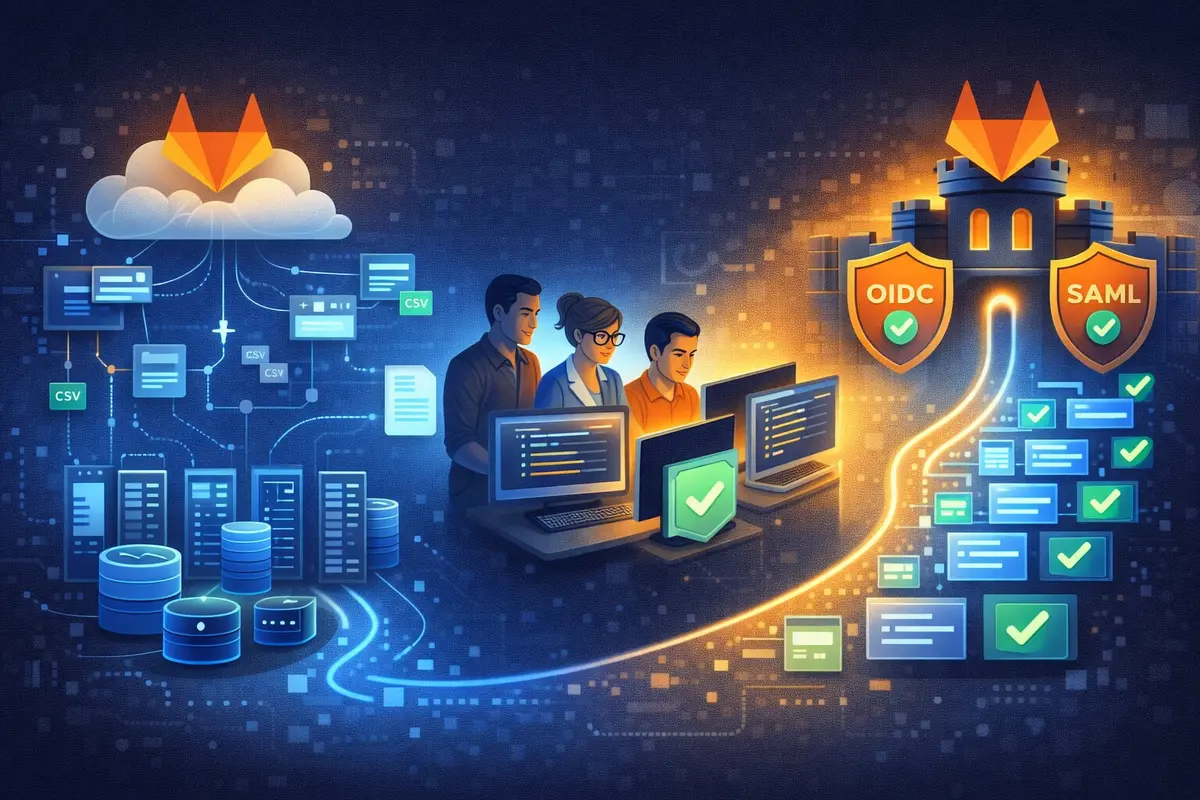
Team Mavericks at DevOps Den had a mission: migrate 100+ GitLab projects from SaaS to self-hosted Community Edition, move everything behind the firewall, integrate with corporate OIDC/SAML, and preserve every issue, merge request, and CI/CD variable. Their first approach with Docker Compose encountered GitLab import issues that cost them three days. A pivot to vanilla installation solved the problem. They built 15+ automation scripts and completed the migration in 5 weeks, 3 days. This is their story, complete with the challenges, lessons learned, and production-ready code that got them across the finish line.
At a glance:
- 104 projects migrated (GitLab.com SaaS → self-hosted CE)
- Docker Compose approach hit silent import failures
- Omnibus installation worked reliably
- 15+ automation scripts built for export, import, variables, issues, MRs
- 5 weeks, 3 days total (including 3-day Docker detour)
- Zero functional data loss affecting development workflows
Prologue: The Security Audit That Changed Everything
More than a year back, the decision to migrate had already been made. A security audit had exposed a critical gap: a former employee still had access to our repositories two days after leaving the organization. The Managing Director’s question still echoed: “Why the hell does someone who left still have access to company code?”
The answer was painful: manual offboarding processes. HR emails. Communication gaps. Human error.
The solution was clear: integrate GitLab with our corporate Identity and Access Management (IDAM). Our IDAM supported both OIDC and SAML, and we chose to implement OIDC (OpenID Connect) for GitLab authentication. Automatic provisioning. Automatic deprovisioning. No human intervention required.
But this feature was locked behind GitLab’s expensive SaaS enterprise tier.
So we chose self-hosted GitLab Community Edition. We’d already run the PoCs—Kubernetes, Docker, vanilla installation. The omnibus package on Ubuntu won for its simplicity and reliability.
Now came the hard part: actually migrating 100+ projects from GitLab.com (SaaS) to our self-hosted GitLab CE (omnibus) without losing critical data.
The mandate was clear:
- Source: GitLab.com (SaaS)
- Destination: Self-hosted GitLab CE (omnibus installation)
- Source code behind the corporate firewall (no public internet exposure)
- OIDC integration with corporate IDAM
- No functional data loss affecting development workflows
- Timeline: 6 weeks
The room went quiet as the team gathered. We had 100+ projects. Dozens of active developers. CI/CD pipelines running continuously. Package registries filled with artifacts. Years of institutional knowledge captured in issues and merge requests.
“Can we migrate all of this in 6 weeks?” one team member asked.
Nervous faces. Fingers tapping on keyboards. The weight of the task settling in.
“We’re about to find out.”
Chapter 1: Choosing Our Migration Approach
The PoC Decision (Revisited)
Our PoCs had been clear: omnibus installation was the winner. Simpler. Better documented. Lower operational overhead.
But that was for the GitLab installation itself.
Now, standing at the threshold of actual migration, we faced a different question: how do we export 100+ projects from GitLab.com and import them without issues?
“The PoC tested basic GitLab functionality,” one team member pointed out. “We didn’t actually test large-scale project imports during the PoC.”
He was right. We’d validated that omnibus GitLab worked. We hadn’t validated that it could import 100+ projects with all their metadata intact.
“Do we stick with omnibus?” another member asked. “Or do we reconsider Docker Compose for the migration itself?”
The Docker Compose approach had some appeal for migration:
| |
“We could spin up Docker Compose temporarily,” one member suggested. “Run the imports. Then migrate the data to our production omnibus installation.”
“Adds complexity,” another cautioned. “But it might give us more flexibility during migration.”
We decided to try it. Worst case: we fall back to importing directly into omnibus.
The Test Project
Let’s do a dry run first. Pick a small project. Test the complete workflow.
We chose a simple microservice. Three developers. Minimal history. A dozen issues. Perfect for testing.
Step 1: Export from GitLab.com
| |
Status: finished ✅
We downloaded the tar.gz file. 15MB. Clean export.
Step 2: Import to self-hosted
| |
Response: {"id": 123, "import_status": "started"} ✅
We waited. Refreshed the UI. The project appeared. Repository cloned perfectly. Branches intact. Tags present.
“This is going to be easier than we thought,” one team member grinned.
We were so wrong.
Chapter 2: When Things Didn’t Go As Planned
The Mystery of the Missing Issues
Day 3. We started migrating larger projects.
The exports worked. The imports worked. Projects appeared in the UI. Git operations succeeded.
But the issues… the issues were gone.
The team checked the API.
| |
Response: []
Empty. Zero issues. A project that had 47 issues on GitLab.com had none on our self-hosted instance.
“Maybe the import is still running?” someone suggested.
We checked the import status: finished ✅
No errors. No warnings. The import API claimed success. But the issues had vanished into thin air.
Three Days of Troubleshooting
What followed were three days that tested our sanity.
Day 3: We re-imported the same project. Five times. Same result. No issues.
Day 4: We checked Docker logs. Sweat dripped as we scrolled through thousands of lines:
| |
PostgreSQL errors. Database schema issues. Import timeouts.
“Something’s wrong with how imports are being processed,” one team member concluded, his eyes red from staring at logs. “Could be the Docker setup, could be a GitLab import bug. Hard to tell.”
Day 5: We tried everything:
- Different GitLab versions
- Increased memory limits
- Changed PostgreSQL settings
- Tweaked import timeouts
- Checked known GitLab issues
Nothing worked. Later research revealed this is a known GitLab import bug where project imports randomly miss issues—not specific to Docker.
70% of projects imported successfully. 30% failed with silent issue import failures. No clear resolution path.
The deadline loomed. Blood pressure rose.
“We need to make a call.”
The Pivot
Friday evening. Week one nearly gone. The team gathered in the conference room.
“Our Docker Compose setup isn’t working for imports. We’ve spent three days troubleshooting. We’re no closer to a solution.”
“What’s the alternative?”
“Direct omnibus installation. Skip the Docker Compose middleman. Import straight into our production GitLab setup.”
“But we already did the PoC on omnibus. That’s our final target anyway.”
“Exactly. We got clever trying to use Docker Compose as a migration tool. But our PoC already proved omnibus works. Why did we overthink this?”
The room fell silent as the realization hit.
We’d chosen omnibus during PoC for good reasons: simpler, better documented, proven at scale. Then we second-guessed ourselves for the migration and added Docker Compose as an unnecessary layer.
“How long to pivot?”
“We already have omnibus installed from the PoC. One day to test imports. If it works, we’re back on track. If it fails the same way, we’ve only lost one day.”
“Let’s do it.”
Chapter 3: Back to Basics
Saturday Morning: Return to Omnibus
Saturday, 6 AM. Lakshmi couldn’t sleep. Logged in remotely to the omnibus GitLab instance—the one set up during PoC and then abandoned for the Docker Compose experiment.
| |
Every service: run ✅
The server was ready. We’d already done the installation during PoC. We’d already configured OIDC/SAML. We’d already set up SSL certificates.
All we needed to do was use it for what it was built for: importing projects.
Now for the real test. The project that failed five times on Docker.
Export: ✅ (same as before)
Import:
| |
Status: started
Waiting. Heart pounding. Refreshed the browser.
The project appeared. Repository: ✅. Branches: ✅. Tags: ✅.
Now the moment of truth. Navigate to Issues.
47 issues. Every single one. With comments. With assignees. With labels.
Tears of relief nearly appeared.
The team Slack channel received a message:
“It works. Vanilla works. All issues imported. See you Monday. We’re back in business.”
Monday: Full Steam Ahead
The team arrived energized. The Docker nightmare was behind them.
“Okay. We have 100+ projects. Six weeks just became five. We need automation. Lots of it.”
We broke down the problem:
- Discovery: Get a complete list of all projects, groups, subgroups
- Export: Download every project as tar.gz files
- Import: Upload and import to self-hosted
- Variables: Migrate CI/CD variables (group and project level)
- Issues: Ensure all issues are present
- Merge Requests: Recreate MR history
- Validation: Verify nothing was lost
We’re going to script everything. No manual operations except the final validation.
And that’s exactly what we did.
Chapter 4: The Automation Marathon
Script 01: Project Discovery
First, we need to know what we’re dealing with.
He crafted a script that recursively traversed our GitLab group structure:
File: 01-projects.sh
| |
He ran it. A CSV file materialized:
| |
The question arose: how many?
“104 projects across 8 groups and 23 subgroups.”
The mountain before us, quantified.
Script 02: The Export Machine
One team member took the lead on exports. The challenge: GitLab’s export API is asynchronous.
You trigger an export. Poll for status. Wait for finished. Download the file.
For one project, this is simple. For 104 projects, you need orchestration.
File: 02-export.sh
| |
“This will take hours. GitLab.com has rate limits. We’re looking at 3-4 hours for all 104 projects.”
The decision: run it overnight.
She kicked it off at 6 PM. By morning, we had 104 tar.gz files sitting in /mnt/3/backups/Monday/.
Naming convention:
- Project:
company/devops/api-gateway - Becomes:
company__devops__api-gateway.tar.gz
Clean. Predictable. grep-friendly.
Script 03: Import With Intelligence
Here’s where things got interesting. We needed two variants:
Variant A: Import with Keep - Skip if project already exists (for initial run) Variant B: Import with Delete - Overwrite existing projects (for reruns)
The team built both.
File: 03-import-keep.sh (excerpt)
| |
“Why two scripts?” someone asked during code review.
Because Murphy’s Law. The first run will have failures. When we rerun, we don’t want to reimport everything. But for fixing specific projects, we need to delete and start fresh.
Wise beyond his years.
The Night Everything Imported
Wednesday night. Week two. The team stayed late.
We ran 03-import-keep.sh on all 104 projects.
Progress streamed across the terminal:
| |
Import status checks ran every minute:
| |
The number ticked down: 104… 87… 63… 42… 18… 4… 0.
By 11 PM, every project was imported.
We high-fived. Ordered pizza. Someone cracked open a beer.
“We’re halfway. Projects are in. Now we need everything else: variables, issues, merge requests.”
The celebration lasted exactly five minutes before the team opened their laptops again.
“Let’s do variables next,” she said.
Chapter 5: The Variable Migration Saga
The Hidden Complexity
CI/CD variables seem simple. Key-value pairs. But the devil lurked in the details:
- Protected variables: Only available in protected branches
- Masked variables: Hidden in logs
- Group vs. project scope: Inheritance rules
- Sensitive data: Tokens, passwords, API keys
We can’t just dump these to a CSV and commit them. That’s a security nightmare.
We created a separate, secure workflow:
Script 04-06: Variable Migration Trinity
Step 1: Export group-level variables
File: 04-group-variables.sh
| |
Step 2: Import group variables
File: 05-variables-import.sh
| |
Step 3: Export ALL variables (groups + subgroups + projects)
File: 06-variables-export.sh - Recursive traversal
This script walked the entire group hierarchy, collecting variables from every level.
“How do we secure the CSV files?” The files contained production secrets.
“Encrypted storage. 600 permissions. Deletion after import. And we rotate every variable post-migration.”
| |
The Variables Validated
Friday morning. We ran the validation:
| |
Output:
| |
Perfect match ✅
Chapter 6: Issues, Merge Requests, and the Home Stretch
The Issue With Issues
Issues are metadata-heavy:
- Title, description
- Comments (nested threads!)
- Assignees, labels, milestones
- State (opened/closed)
- Created/updated timestamps
The GitLab export/import includes issues. But we wanted an independent backup. A CSV record of every issue for validation.
Script 08-09: Issue Migration
File: 08-issues.sh - Export all issues to CSV
| |
File: 09-issues-import.sh - Recreate issues
The GitLab API only allows creating issues in the opened state. Closed issues require two operations:
- Create issue (opens it)
- Update issue to close it
| |
The Merge Request Maze
Merge requests are even trickier:
Critical requirement: Branches must exist before creating MRs.
This meant:
- Import projects first (includes all branches)
- Wait for imports to complete
- Verify branches exist
- Then create merge requests
File: 10-mergerequest.sh - Export MRs
File: 11-import-mergerequests.sh - Recreate MRs
The limitation that hurt: GitLab API doesn’t support creating MRs with state="merged". Merged MRs can only be created as opened, then closed.
Our workaround:
| |
Not perfect. But documented. Visible. Honest about the limitation.
Chapter 7: The Security Fortress
Why We Migrated: The Real Story
The primary drivers weren’t cost or flexibility. They were security and compliance:
Network Isolation: Source code behind the corporate firewall, not exposed to public internet.
Enterprise SSO: Integration with our corporate Identity and Access Management (IDAM) via OIDC/SAML. No more manual user management. No more offboarding delays.
This was the mandate. The rest was implementation.
The OIDC Integration
Configuring OIDC/SAML required diving into GitLab’s omnibus configuration:
File: /etc/gitlab/gitlab.rb
| |
Now for the moment of truth.
| |
Services restarted. We navigated to the login page.
A new button appeared: “Sign in with DevOps Den SSO”
She clicked it. Redirected to our corporate IdP. Entered credentials. Two-factor authentication. Approved.
Redirected back to GitLab. User created automatically. Logged in.
“It works!” she exclaimed.
The Offboarding That Never Happened
Remember the security audit finding that triggered this whole migration? Former employee still had access?
Not anymore.
With OIDC integration:
- User leaves company
- HR disables account in corporate IDAM
- Next login attempt to GitLab: 403 Forbidden
No GitLab admin intervention required. No delays. Automatic. Secure.
This alone justified the migration.
Chapter 8: The Validation Gauntlet
Week Five: Proving It All Works
With everything imported, we needed proof. Numbers. Evidence. Validation.
The team created a checklist. Every box was checked methodically:
1. Project Count
| |
Output: 104 / 104 ✅
2. Repository Integrity
We cloned every repository and compared commit counts:
| |
Zero mismatches ✅
3. CI/CD Pipeline Test
We triggered pipelines in 10 random projects. Group runners picked up the jobs. Pipelines executed. Variables were available. Artifacts were created.
All green ✅
4. Spot Check Critical Projects
The team leads validated their critical projects:
- All branches present
- All tags present
- Issues with correct states
- MRs with proper source/target branches
- Protected branch rules in place
“Everything looks correct,” they confirmed.
The Go-Live Announcement
Friday, Week 5. We sent the email:
Subject: GitLab Migration Complete - New URL Effective Monday
Team,
Our GitLab migration to self-hosted infrastructure is complete. Effective Monday:
New URL: https://gitlab.devopsden.internal
Authentication: Use your corporate SSO credentials
What’s Different:
- Faster pipeline execution (internal network)
- Automatic user provisioning/deprovisioning via SSO
- All 104 projects, issues, and MRs migrated
Git Remote Update (run once per repo):
1git remote set-url origin [email protected]:your/project.gitQuestions? DevOps Den office hours Monday 10-12.
– Team Mavericks
Chapter 9: Lessons From The Trenches
What We’d Do Differently
Sitting in the retrospective, we were honest about mistakes:
1. Should Have Tested the Installation Method More Thoroughly
We assumed our Docker Compose setup would handle everything. We should have done a complete dry run—projects, issues, MRs—before committing to it. And tested omnibus installation in parallel.
Lesson: Test the entire workflow, not just the happy path. Consider multiple installation approaches early.
2. Better Variable Management
We should have rotated sensitive variables during migration. Perfect opportunity. We didn’t take it.
Lesson: Use migrations as an excuse to improve security hygiene.
3. Communication Cadence
We went quiet during the troubleshooting phase. Management was nervous. We should have sent daily updates, even if the news was ‘still debugging.’
Lesson: Communicate more, not less, during challenges.
What Worked Brilliantly
1. The CSV Workflow
Every script outputted to CSV. Human-readable. Easy to filter. Simple to resume.
When we needed to rerun specific projects, we just edited the CSV and fed it back to the script.
2. Day-of-Week Backup Rotation
| |
Automatic 7-day rotation. When we needed to check “what did we export on Tuesday?”, we just looked in the Tuesday folder.
3. Incremental Migration
Projects first. Then variables. Then issues. Then MRs.
Validate each phase before moving to the next.
If we’d tried to do everything at once, we’d never have isolated the import issue.
4. The Pivot Decision
Changing approaches was painful. We’d invested three days. But those three days would have become three weeks if we’d kept banging our heads against it.
Sunk cost fallacy, avoided.
The Numbers That Mattered
Time Investment:
- Planning and setup: 1 week
- Docker attempt: 3 days
- Vanilla installation and testing: 2 days
- Script development: 1 week
- Migration execution: 3 days
- Validation and cutover: 1 week
Total: 5 weeks, 3 days (within our 6-week deadline)
Cost Savings: 70% reduction in GitLab costs (SaaS → self-hosted CE)
Security Improvements:
- Source code now behind corporate firewall ✅
- OIDC/SAML integration with corporate IDAM ✅
- Automatic user lifecycle management ✅
- VPN-only access ✅
- No public internet exposure ✅
The Scripts: Your Migration Toolkit
Everything we built is production-tested and ready to adapt. Here’s the complete toolkit:
Core Environment Setup
File: export-vars.sh
| |
Security note: Add to .gitignore! Never commit tokens.
The Complete Migration Sequence
| |
Troubleshooting: When Things Go Wrong
Problem: API rate limiting
| |
Problem: Import fails with “Namespace Already Taken”
| |
Problem: Missing issues after import
| |
Problem: SSL certificate errors
| |
Post-Migration: The Operational Reality
Group Runner Setup
After migration, we needed CI/CD runners on our internal network.
| |
Configuration: /etc/gitlab-runner/config.toml
| |
The Performance Surprise
Week one post-migration, developers started noticing something:
“Pipelines are faster,” someone mentioned in Slack.
We ran the numbers:
- Before (GitLab.com SaaS): Average pipeline duration 8m 32s
- After (self-hosted internal): Average pipeline duration 5m 47s
32% faster due to internal network speeds.
An unexpected benefit we hadn’t even pitched.
Ongoing Maintenance
Self-hosting means maintenance. We scheduled:
Weekly:
- Check backup rotation (automatic via day-of-week folders)
- Monitor disk usage
- Review failed pipelines
Monthly:
- Review user access (now automatic via OIDC)
- Check for GitLab updates
- Database optimization
| |
Quarterly:
- GitLab version upgrade (test in staging first)
- Security audit
- Runner capacity review
It’s more work than SaaS. But we own it. We control it. And honestly, it’s not that much more work.
Epilogue: Six Months Later
It’s been six months since the migration. The dust has settled.
What we gained:
- ✅ Security compliance (code behind firewall)
- ✅ Enterprise SSO (OIDC integration with corporate IDAM)
- ✅ 70% cost reduction
- ✅ Faster pipelines (internal network)
- ✅ Complete operational control
What we lost:
- ❌ Automatic updates (we manage upgrades now)
- ❌ GitLab support (CE = community support)
- ❌ Some metadata in historical issues (comments from old closed issues)
Worth it?
Absolutely.
The security requirements alone made it mandatory. Everything else was bonus.
Would we do it again?
In a heartbeat. But we’d start with omnibus installation—it’s better documented and more reliable for large-scale migrations.
For Those About to Migrate
If you’re staring at your own GitLab migration, here’s what Team Mavericks would tell you:
1. Test the entire workflow first Don’t assume any installation method works. Validate end-to-end on a test project.
2. Automate everything Manual operations don’t scale. Scripts are your salvation.
3. Plan for the unexpected Budget 20% extra time for troubleshooting. You’ll need it.
4. Communicate relentlessly Keep stakeholders informed, especially when things go wrong.
5. Validate, then validate again Trust, but verify. Check project counts, commit counts, issue counts.
6. Don’t fear the pivot If something isn’t working, change course. Sunk costs are sunk.
7. Document everything Future you will thank present you. So will your team.
8. Security first Rotate variables. Use token expiration. Encrypt backups. No shortcuts.
Appendix: Quick Reference
Essential Commands
| |
File Locations
| |
API Quick Reference
| |
Conclusion: The Journey Was Worth It
From challenges to solutions. From SaaS convenience to self-hosted control. From manual offboarding to automatic OIDC integration.
Team Mavericks at DevOps Den didn’t just migrate GitLab. We transformed our entire DevOps security posture.
104 projects. 5 weeks, 3 days. 15+ automation scripts. No functional data loss. Mission accomplished.
The scripts are here. The lessons are documented. The path is clear.
Now it’s your turn.
About This Guide
Team: Team Mavericks at DevOps Den Mentor: Uttam Jaiswal Migration Scope: 104 projects, GitLab.com → Self-hosted CE Duration: 5 weeks, 3 days Success Rate: 100% (after pivoting from Docker to vanilla) Period: Late 2024
May your exports be swift, your imports be flawless, and your pipelines always run green. ✅
This article documents a real migration. All scripts are production-tested. Adapt them to your environment, test thoroughly, and remember: when your first approach doesn’t work, don’t be afraid to pivot—sometimes the traditional path is the right path.